


TL;DR:
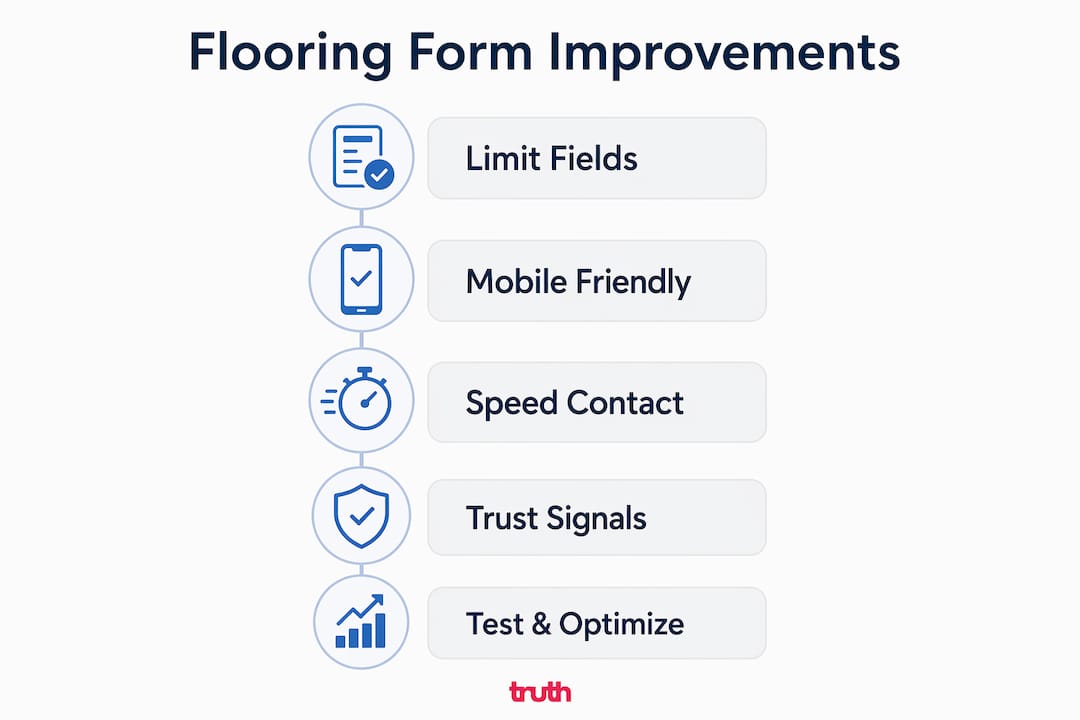
- Optimizing flooring contact forms with fewer fields, mobile-friendly layouts, and rapid response strategies increases lead quality and conversion rates.
- Focusing on trust signals, clear microcopy, and immediate follow-up builds credibility and ensures potential customers stay engaged.
- Qualifying leads through conversation and validation rather than extensive form fields leads to higher-quality inquiries and more booked jobs.
A flooring contact form is the single most important conversion point on your website, and most of them are losing you leads every day. Knowing how to improve flooring contact forms means understanding three things: field count, mobile usability, and response speed. Get those three right and you will see more enquiries, better quality leads, and more booked jobs. This guide covers the exact changes that move the needle, with data to back every recommendation. Whether you run a carpet showroom, an LVT installation business, or a wood flooring specialist, these strategies apply directly to you.
How to improve flooring contact forms: start with field count

The number of fields on your form is the single biggest lever you can pull. Limiting fields to 3 or 4 can increase conversions by up to 50%. That is not a marginal gain. It is the difference between a form that fills your inbox and one that sits empty.
The reason is simple. Every extra field you add creates friction. Each additional field reduces form completion rates by 5 to 10%. A form asking for name, phone number, email, and a brief description of the project is enough to start a conversation. You do not need their address, budget, preferred installation date, and room dimensions before you have even spoken to them.
Here is how different field counts compare for a flooring enquiry form:
| Fields | Typical completion rate | Lead quality |
|---|---|---|
| 3 to 4 | High | Sufficient to follow up |
| 5 to 7 | Medium | Good but drop-off increases |
| 8 or more | Low | High drop-off, fewer leads |
The right approach is to qualify leads through conversation, not through your form. Use dropdowns and conditional fields where they genuinely help. For example, a dropdown asking “What type of flooring are you interested in?” with options like carpet, LVT, and wood flooring adds context without adding effort. Conditional fields can then show a relevant follow-up question based on that choice, keeping the form short for most users.
- Ask for name, phone, and email as a minimum
- Add one optional project description field
- Use a dropdown for flooring type if it helps your team triage enquiries
- Avoid asking for address, budget, or timeline upfront
Pro Tip: Collect budget, address, and detailed project information during your follow-up call or via a secondary form. Avoiding these fields upfront improves completion rates by 5 to 10% per field removed.
What mobile optimisation strategies boost flooring form submissions?
Over 60% of flooring website traffic is now mobile. Forms that are not built for mobile lose a significant share of that traffic before a single field is filled in. Mobile-optimised forms reduce drop-offs by 38%, which represents a substantial recovery of leads you are currently missing.
The most common mobile form mistake is using a multi-column layout. On a phone screen, two columns side by side force users to pinch and zoom, which kills completion rates. Single-column layouts with labels placed visibly above each field perform far better on mobile devices. The user scrolls down naturally, filling each field in sequence without confusion.
Beyond layout, the details matter enormously:
- Set the input type for phone fields to "tel` so mobile keyboards show a number pad automatically
- Set email fields to
emailtype to trigger the correct keyboard with the @ symbol - Make tap targets at least 44px tall so users do not mis-tap on small screens
- Add sufficient spacing between fields to prevent accidental input
- Enable browser auto-fill so returning visitors can complete the form in seconds
Microcopy is another underused tool. The placeholder text inside a field, or a short line of guidance beneath it, can significantly reduce hesitation. Instead of a label that reads “Message”, try “Tell us what flooring you’re looking for and we’ll get back to you today.” That single change sets expectations and makes the form feel less like a bureaucratic exercise.
Real-time validation is equally important. If a user types an invalid phone number, tell them immediately rather than waiting until they hit submit. Showing a clear, friendly error message in the moment prevents frustration and keeps the user engaged.
Pro Tip: Test your form on at least three different mobile devices before publishing. An iPhone 14, a mid-range Android, and a tablet will reveal layout and spacing issues that desktop testing will never catch.
How does speed-to-contact affect flooring lead conversion?
Response time is where most flooring businesses lose leads they have already paid to generate. The data is stark. Leads contacted within 5 minutes convert at 3 to 5 times the rate of leads contacted later. That gap widens fast. Leads not followed up within 30 minutes see a 10 to 15% drop in contact rates for every additional delay. After 24 hours, conversion is near zero.
“The form is not the finish line. It is the starting gun. What happens in the next five minutes determines whether that lead becomes a customer.”
Here is a practical process for fast lead response:
- Set up real-time email and SMS notifications so your team receives an alert the moment a form is submitted
- Use a CRM such as HubSpot or Pipedrive to log every enquiry automatically and assign it to a team member
- Respond to every enquiry within 5 minutes during business hours, even if only to confirm receipt and set a callback time
- Automated acknowledgment messages sent immediately after submission maintain engagement and set expectations for when the customer will hear from you
- For after-hours submissions, send an automated response that confirms the enquiry and states clearly when you will call
The multi-step follow-up matters too. If you do not reach the lead on the first call, follow up by text and email within the hour. Many flooring customers submit enquiries to two or three businesses at the same time. The first business to respond professionally and promptly almost always wins the job. You can read more about handling enquiries effectively to build a repeatable process around this.
Pro Tip: Set up an after-hours auto-response that goes beyond a generic “we’ll be in touch.” Include your opening hours, a link to your portfolio, and a direct mobile number for urgent enquiries. It keeps the lead warm overnight.
Which trust signals and UX features improve form completions?
Trust is the invisible barrier between a visitor and a completed form. A potential customer who does not trust your website will not hand over their phone number, regardless of how short your form is. Conversational microcopy and trust signals such as star ratings placed near your form create psychological security and measurably improve submission rates.
Think of form design as a conversation, not an interrogation. Labels written in plain, friendly language reduce anxiety. “Your name” works better than “Full name (required)”. “Best number to reach you” works better than “Phone number”. These small word choices signal that a human being will read the response, not a database.
Place your Google reviews or Trustpilot rating directly above or beside the form. A visible 4.8-star rating from 120 customers tells the visitor that other people have trusted you and had a good experience. That social proof does more for conversion than any design tweak.
Other UX improvements worth implementing:
- Add a short privacy statement beneath the phone field: “We will never share your details with third parties.”
- Use a CAPTCHA or honeypot field to reduce spam without adding friction for real users. Spam submissions waste your team’s time and distort your analytics
- Replace the default “Submit” button with specific, benefit-led text. Action-oriented button text such as “Get your free quote” or “Book a free measure” consistently outperforms generic labels
- After submission, redirect users to a thank-you page that confirms receipt, states your response time, and links to your portfolio or recent projects
Pro Tip: A/B test your form at least once per quarter. Change one element at a time: button text, field labels, or the placement of your reviews. Small tests compound into significant conversion gains over a year.
What I have learned about lead quality versus lead volume
After working with flooring businesses across the UK, the most common mistake I see is treating the contact form as a qualification tool. Business owners add fields for budget, room size, postcode, and preferred installation date because they want to filter out time-wasters. The logic makes sense. The result does not.
Every field you add to qualify a lead also removes leads who would have converted. Well-qualified leads do convert 2 to 3 times better than generic ones, but a form with eight fields generates so few submissions that the maths rarely works in your favour. You end up with fewer total conversions even if the percentage rate looks healthier.
The smarter approach is to qualify through conversation. Get the phone number. Call within five minutes. Ask the qualifying questions yourself. A two-minute phone call tells you more about a lead’s intent and budget than any form field ever will.
Phone validation is one tactic I recommend consistently. SMS or callback validation removes 15 to 25% of invalid leads before they enter your sales process. That means your team spends less time chasing dead numbers and more time talking to real customers. It is a small technical addition with a meaningful impact on efficiency.
The other thing I see flooring businesses underestimate is the value of early-stage leads. Someone who submits a form today but is not ready to buy for three months is not a wasted lead. With a simple follow-up sequence via email or SMS, that lead can become a booked job later in the year. The flooring conversion funnel is longer than most businesses account for, and nurturing those early contacts pays off.
— John
How Truthdigital helps flooring businesses get more from their forms
At Truthdigital, we work exclusively with flooring businesses across the UK. We build websites designed to generate enquiries, not just look good. Every site we build includes contact forms optimised for field count, mobile usability, and fast lead delivery.
Our clients have seen real results from these changes. You can see the detail in our flooring website success stories. We also run SEO for flooring companies to drive qualified traffic to those forms in the first place. If your current form is not performing, we can audit it and tell you exactly what to fix. Get in touch and let’s talk about what your website should be doing for your business.
FAQ
How many fields should a flooring contact form have?
A flooring contact form should have 3 to 4 fields. Limiting fields to this range can increase conversions by up to 50%, with each additional field reducing completion rates by 5 to 10%.
Why do mobile users abandon flooring contact forms?
Mobile users abandon forms that use multi-column layouts, small tap targets, or incorrect keyboard types. Single-column forms with large input areas and auto-fill support reduce mobile drop-offs by up to 38%.
How quickly should I respond to a flooring form enquiry?
Respond within 5 minutes. Leads contacted within this window convert at 3 to 5 times the rate of those contacted later, and conversion drops sharply after 30 minutes of delay.
What should the submit button say on a flooring contact form?
Use specific, benefit-led text such as “Get your free quote” or “Book a free measure” rather than the default “Submit.” Action-oriented button text reduces anxiety and encourages form completion.
Does phone validation improve flooring lead quality?
Yes. SMS or callback phone validation removes 15 to 25% of invalid or mistyped numbers before they reach your sales team, improving the quality of leads in your pipeline without reducing genuine enquiries.